
Payble is Bay of Plenty Regional Council’s new digital platform for managing rates payments. It lets you make one-off payments or set up flexible payment schedules. All payment and personal information is stored securely and meets the highest standards for data protection.


Flexible payments
Our new online payment platform Payble gives you the freedom to manage your rates in the way that suits you best. It’s quick, simple and you are in control.
With the platform you can:
- choose how you pay – direct debit from your bank account, debit card or credit card
- decide what day to make your rates payments (for example, to align with your pay cycle)
- view balances and upcoming payments
- set up a personalised payment schedule
- access and update your payment information anytime, anywhere
- pay your rates in full if you prefer.
Payment options
One off payment
Make payments towards your rates at any time during the year. You can pay the full amount in one go or make one off payments across the year.
Autopay
Set up to pay your rates invoice each year on the due date, 20 October.
Flexible payments
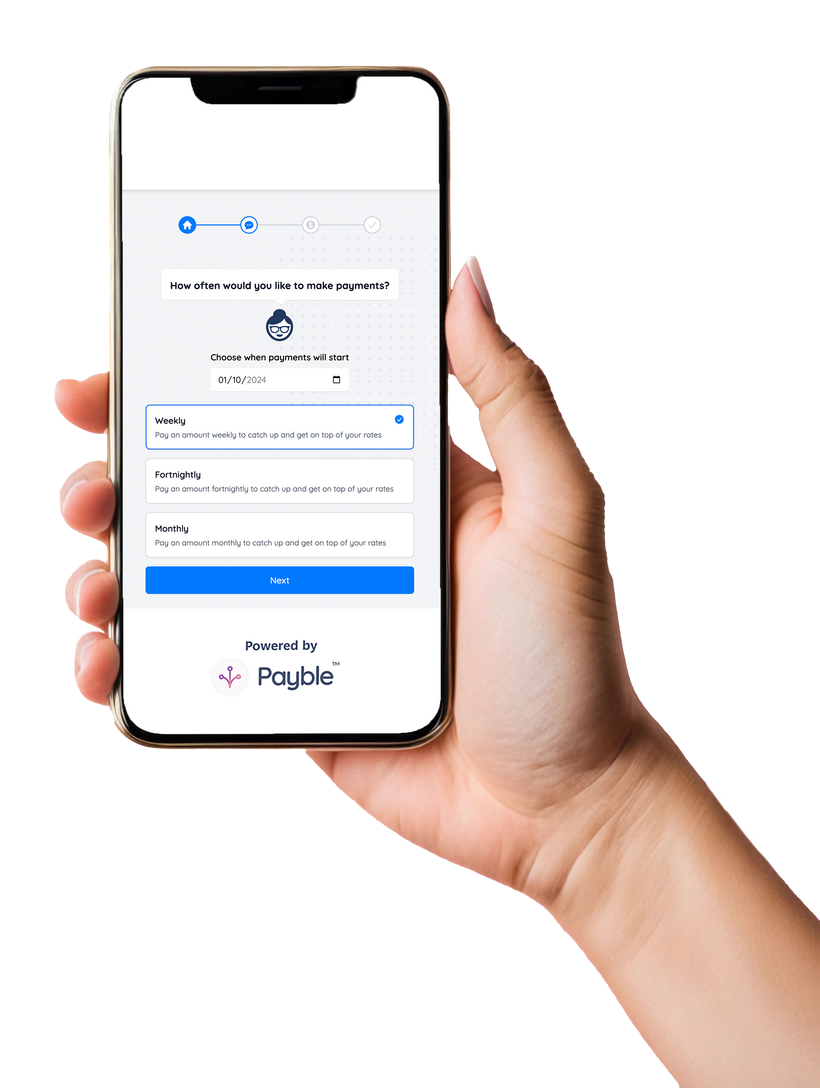
Choose weekly, fortnightly, or monthly payments. This option gives you the most flexibility – select the day that works for you, skip a payment if needed, or pay early when you can.
Our new online payment platform gives you the freedom to manage your rates in the way that suits you best. It’s quick, simple and you are in control.
FAQ's
How do I set up my Payble account?
It’s easy. Scan the QR code on your rates invoice or click here to set up your rates payments on your phone or computer.
We’ll ask you for your mobile number or email address and send you a unique code so that you can sign in.
Once your phone number or email is confirmed you sign in. You will be prompted for your valuation number. If you don’t have your invoice handy, click here to find your valuation number using our property search.
Then you can:
- Check your account balance.
- Choose how to pay, make a one-off payment, set up autopay (for due date payments), or schedule regular payments on a day that suits you.
- Enter your payment details and confirm your payment selections.
- You’ll receive notifications from us once your payment is set up, before we debit your account and if any changes are made.
I already pay by direct debit, do I need to cancel my current plan?
No. When you set up a new plan in Payble, we’ll automatically update your preferences and cancel your old direct debit. This may take up to 24 hours, so allow time to avoid double payments.
Are there fees or extra charges?
-
With Payble, a 1.2% transaction fee applies to credit card payments (to cover merchant fees). With Payble, no surcharge will be applied to debit cards.
-
There are no Council fees for direct debit from your bank account, though some banks may charge a setup fee.
No, you can still pay in person at our offices, at NZPost or by bank transfer. But Payble offers more flexibility and convenience, so we encourage you to try it.
Can I set up Payble for a joint account?
Yes. You can set up Payble using a joint bank account.
Most personal joint bank accounts in New Zealand allow each account holder to transact independently. If this applies to your account, you can confirm this during sign-up by selecting that you have authority to operate the account.
Can I use a bank account that requires multiple signatories?
Yes, if your bank account specifically requires more than one person to authorise any payments, please complete a direct debit authority form and return it to rates@boprc.govt.nz. You will be notified once your payment plan is set up.
Can I change or cancel my payment details or schedule?
Yes, Log in to your account, using the mobile number or email address you initially signed up with (you will need your properties valuation number also) You can then update your payment method or cancel your plan using the options icon.
I have multiple properties – do I need multiple accounts?
No, Payble keeps it simple. You can link multiple properties to one account using your mobile number or email address.
Can I opt out of receiving text messages and email?
Yes. From the homepage, select ‘options’ then ‘manage notifications’ and adjust your preferences.
- If you have set up flexible payments, you can skip up to two payments in a row. Your payment amount will be rebalanced as the skipped amount is spread across your remaining instalments.
- Autopay plans: Payments are automatic on the invoice due date and cannot be skipped.
Can I make additional payments or pay early?
Yes, you can make extra payments by selecting ‘Pay early’ from the payment plan details screen.
What happens if my payment fails?
We will notify you if a payment has failed. For scheduled payments, we will attempt to take the payment again in two days.
Do I need to cancel my plan if I sell my property?
Yes. Cancel the plan in your Payble account (not directly with your bank).
I have signed up to Payble, how do I log into my account?
Easy, any notification you receive from Payble will include a link you can click on to log back into your account.
This link will take you to a log in page, enter the mobile number or email address you initially signed up with and your properties valuation number. You can find the valuation number here if you don’t have it on you.
From there select options in the top right-hand corner to manage your account.