
Skip to main content Skip to footer
Menu
Illustration showing people enjoying our region Illustration showing people enjoying our region

Pay your rates

Choose how you pay, direct debit from your bank account, debit card, or credit card.

Our online payment platform Payble lets you manage your rates in the way that works best for you. It’s simple to:   

  • choose how you pay – direct debit from your bank account, debit card or credit card 
  • pick the day your payments are made (for example, to match your pay cycle)   
  • check your balance and upcoming instalments   
  • create a payment plan that suits your budget   
  • update your details whenever you need to   
  • pay your rates in full.

Payment options 

One-off payments 
Make a single payment at any time during the year. You can pay the full amount or make occasional payments as you go.  

Autopay  
Set up to pay your rates invoice each year on the due date, 20 October.

Flexible payments  
Pay weekly, fortnightly or monthly. This option gives you the most control — choose your payment day, skip a payment if necessary, or pay ahead when you’re able.  

Learn more about how to set up flexible payments and manage your rates in a way that suits you.

Already set up flexible payments? Login to your Payble account

You can pay your rates by selecting Bay of Plenty Regional Council Rates from your bank’s preloaded list or by manually entering our details. Automatic payments are not monitored and may incur late penalties if instalments are missed. Set up a flexible payment plan via Payble to avoid this.    

For overseas payments use SWIFT: ANZBNZ22, Bank: ANZ Whakatāne.   
   
Payee name: Bay of Plenty Regional Council
Account number: 060489009473400  
Particulars: Surname + initials  
Code: Property ID  
Reference: Valuation Reference  

It is essential that both your Property ID (Code) and Valuation Reference are entered correctly. Missing or incorrect details may delay processing of your payment.

At your local NZ Post store (cash or EFTPOS).

At one of our offices (cash, credit card or EFTPOS).

To spread your invoice out over the current rates year, check out our payment calculator.  

If you have made a payment that has not been allocated to your rates account, please complete our Payment query form. 

What you’ll receive

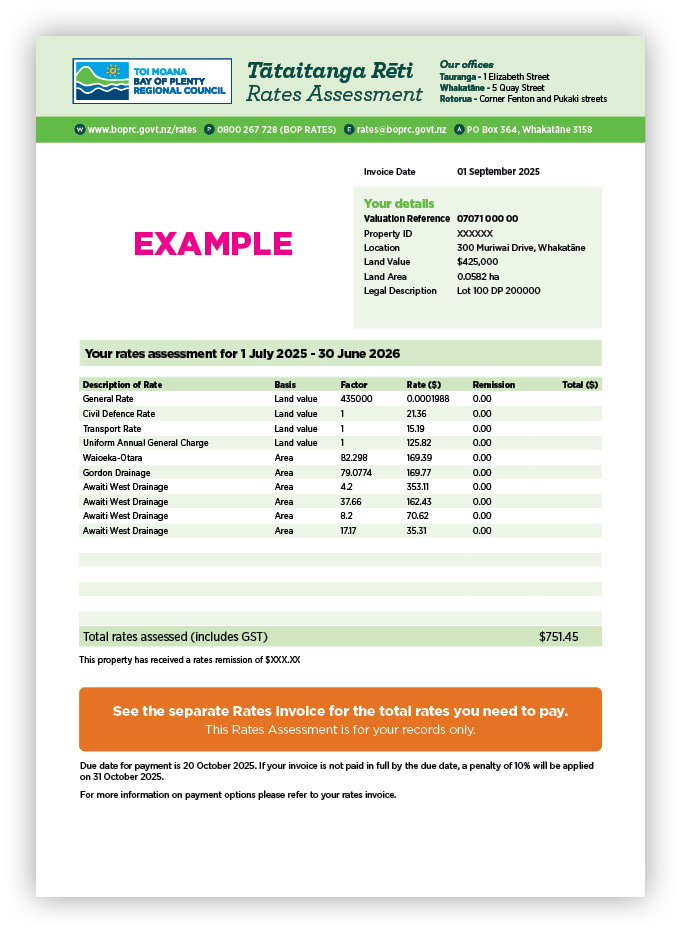
Rates assessment

Your assessment sets out the different parts to your rates, and how your total amount owing has been calculated for the year.

Please note that the rates shown on the assessment will vary across the region depending on the different types of targeted rates that will apply.

rates assessment

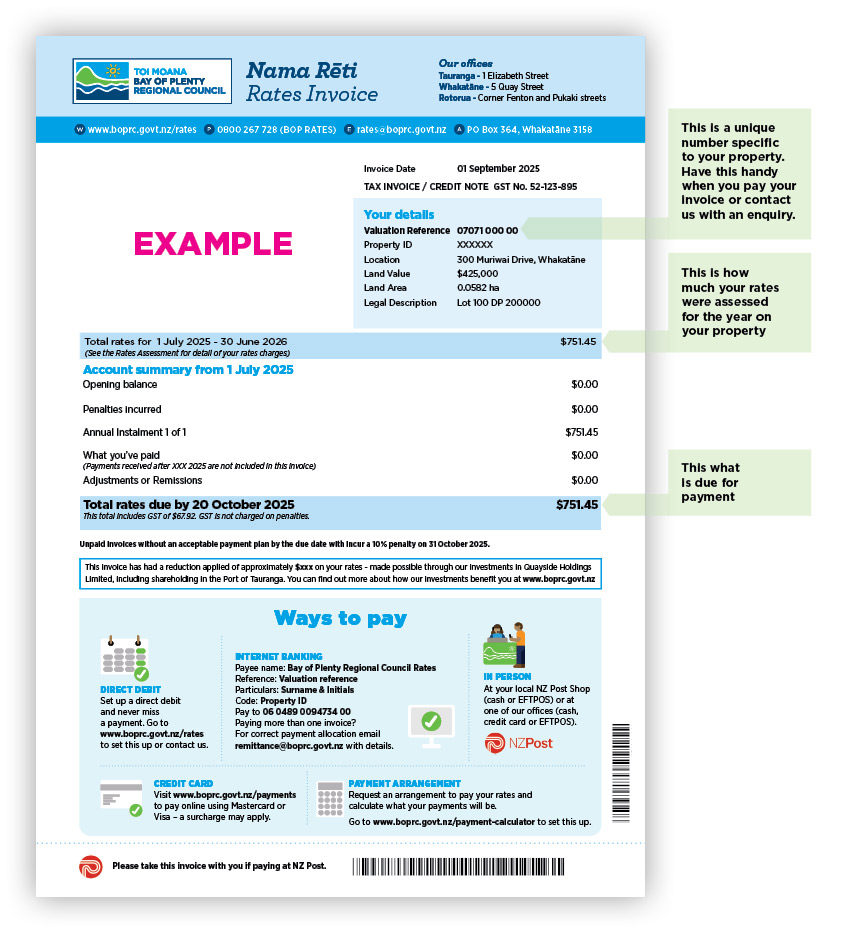
Rates invoice

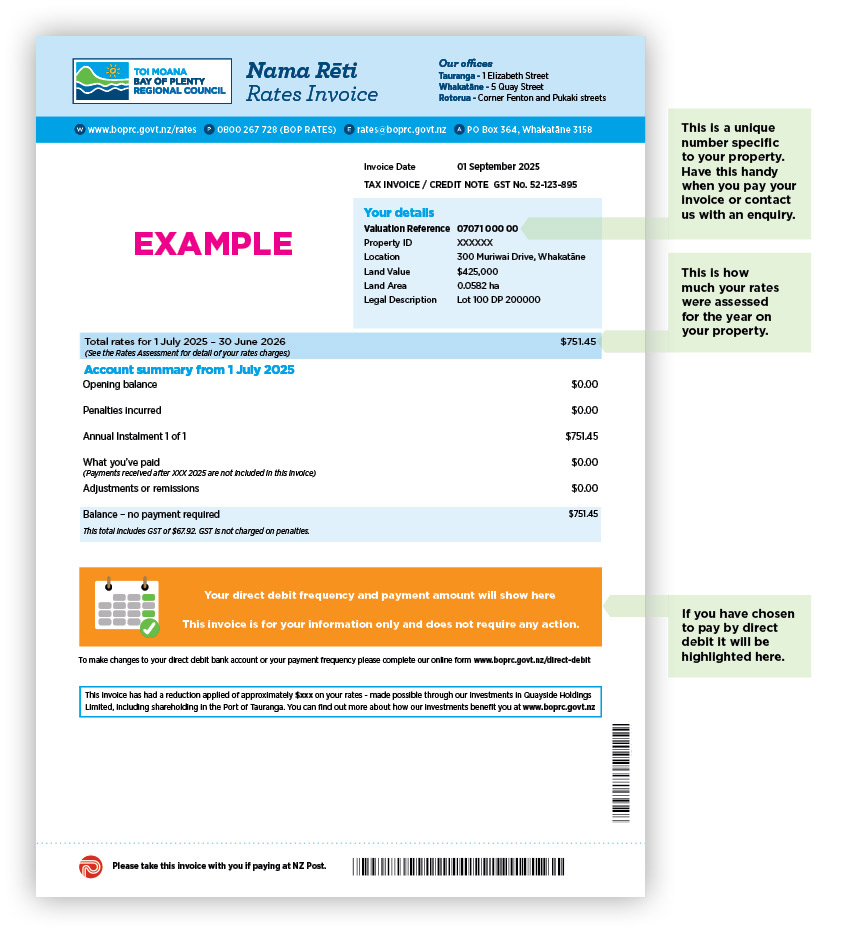
Your invoice sets out what your yearly rates are, anything you’ve paid us towards it, any adjustments that have been made to your invoice and the amount you need to pay on or before on the due date for payment.

rates invoice

rates invoice

What is the Quayside Holdings Limited reduction on my invoice?

Every year Bay of Plenty Regional Council receives a dividend from Quayside Holdings Limited. The reduction shown on your invoice is an indication of the benefit the dividend from Quayside Holdings Limited has made to your rates bill. If the dividend wasn’t received by the Regional Council, your rates would be higher by this amount. You can find out more about this reduction on our rates information hub.

You will receive your invoice for 2025-2026 in September. If you have not received it by 30 September, please contact us using our online rates query form and select the 'Have not received my invoice' option.

Receiving rates by email

You can go paperless by signing up to receive your invoice by email. If you want to sign up to receive your rates correspondence by email, please complete our online form.

Rates remissions

You may be eligible for a reduction on the rates you owe through a rates remission. We have two remissions policies for all land based on certain criteria and the other for Māori Freehold Land.

City and district council rates

You will continue to receive a rates invoice from your city or district council for their rates. If you have any questions about their rates, please contact them direct.

You can find their contact details here.